
Language servers
Language servers power hover, completion, and diagnostics in the workbench editor, and they back the agent's lsp and diagnostics tools. Settings > LSP is personal: enable/disable and install state live in ~/.vixl/lsp.json, auto-download in settings.json (lsp.autoDownload, default on). A project folder cannot override lsp.*. Language servers require the desktop app.
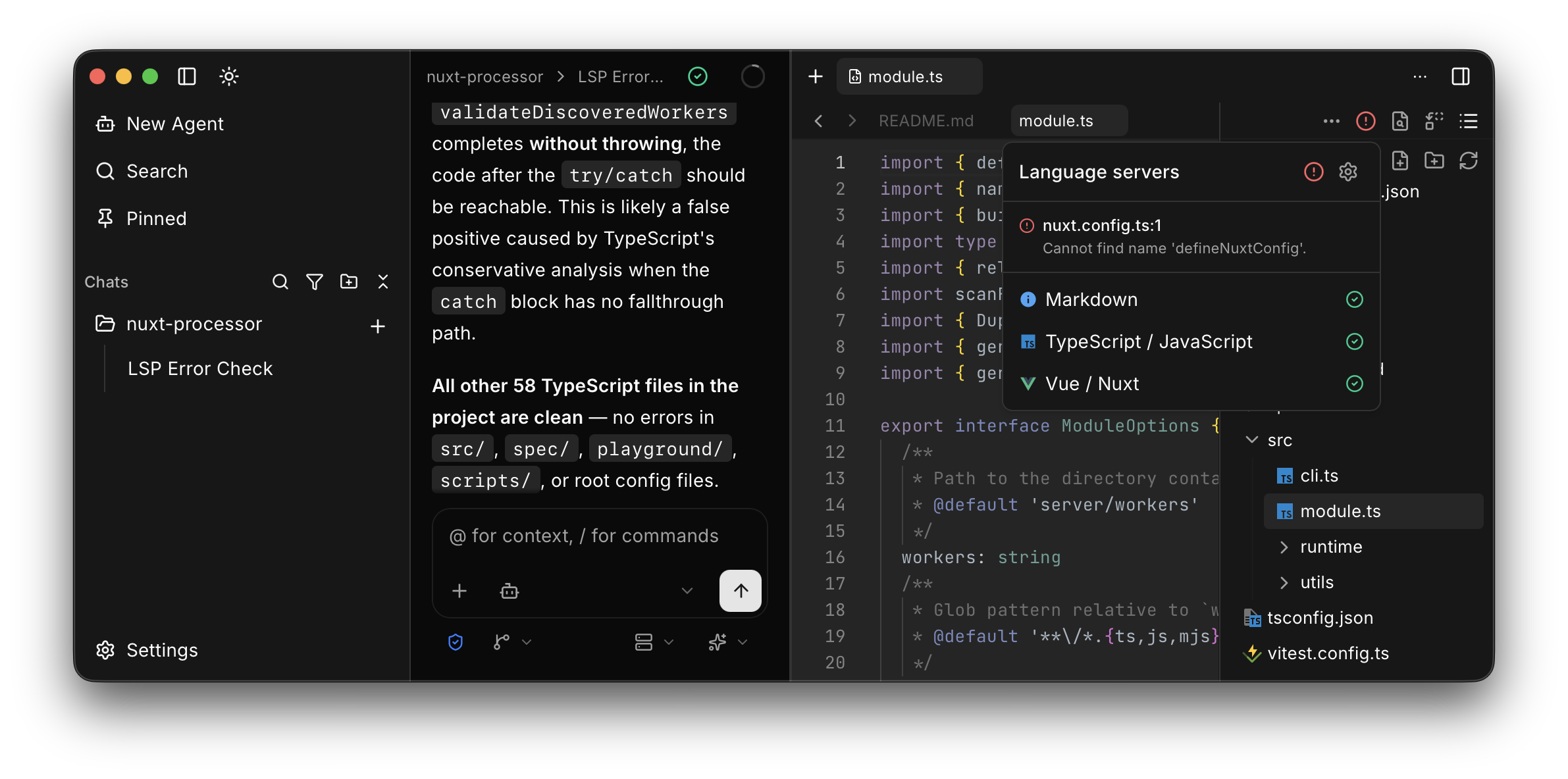
Which languages
Vixl can download servers for TypeScript / JavaScript, JSON, YAML, Markdown, Vue / Nuxt, Python, Rust, Go, Bash, HTML, CSS, Tailwind CSS, Svelte, Astro, Prisma, GraphQL, Dockerfile, Lua, C / C++, Terraform, TOML, Zig, PHP, Kotlin, XML, Postgres, Clojure, and Java.
These catalog rows are not downloaded. They use a binary already on PATH: Deno, Ruby, C# (csharp-ls), Swift, Elixir, Haskell, OCaml, Dart, Gleam, Nix, R, and Scala.
ESLint, Oxlint, and Biome are project-local. Vixl does not install them. They need workspace trust for the active project.
Vue / Nuxt also installs a TypeScript hybrid helper, shown as TypeScript (Vue / Nuxt Hybrid): an install-only row with no disable toggle.
Package names, versions, and download sources are on Managed components.
Download
When you activate a project, Vixl prefetches the default set (TypeScript / JavaScript, JSON, YAML, Markdown) if lsp.autoDownload is on. Settings > LSP has the same action. Turn auto-download off for airgapped machines.
You can still install or uninstall an individual downloadable server from its row. Uninstall applies to managed installs only.
Where they are stored
Install and disable state: personal ~/.vixl/lsp.json (see .vixl layout). Managed downloads: ~/.vixl/lsp/<server-id>/<version>/. PATH toolchains are not copied there.
Use your own
Resolution order for a server: a personal absolute command in lsp.json, then the managed download, then an allowlisted basename on PATH, then (if the workspace is trusted) a project-relative path or node_modules/.bin.
To prefer a binary you installed:
- Put an allowlisted name on PATH, and uninstall the managed copy if one is present (managed wins over PATH).
- Or set
commandinlsp.jsonto an absolute path.
To add a language that is not in the catalog, add an id in lsp.json with command (argv array) and extensions. The program must be an absolute path or an allowlisted basename. Project-relative commands and node_modules/.bin require workspace trust. There is no Settings control to add a custom server; edit the file.
For toolchain rows (Deno, Ruby, and the rest above), install that toolchain so the binary is on PATH. Vixl will not download it.
What the agent uses
The workbench uses language servers for hover, completion, and diagnostics. The agent calls lsp for go-to-definition, find-references, hover, document symbols, workspace symbols, and per-file diagnostics, and diagnostics for file or workspace issue summaries. Prefer those over grep when you need precise symbols.
See Use the workbench for the editor status chip, and Managed components for upstream sources.